ENTERPRISE PRODUCT
Chatbot Widget Builder
A 0→1 product that gave developers a faster, more flexible way to create rich chatbot responses and experiences with a visual playground interface.
MY ROLE
Product Designer
TIMELINE
~1 year
PLATFORM
Enterprise Web Application
THE CHALLENGE
Developers were blindly publishing to Prod
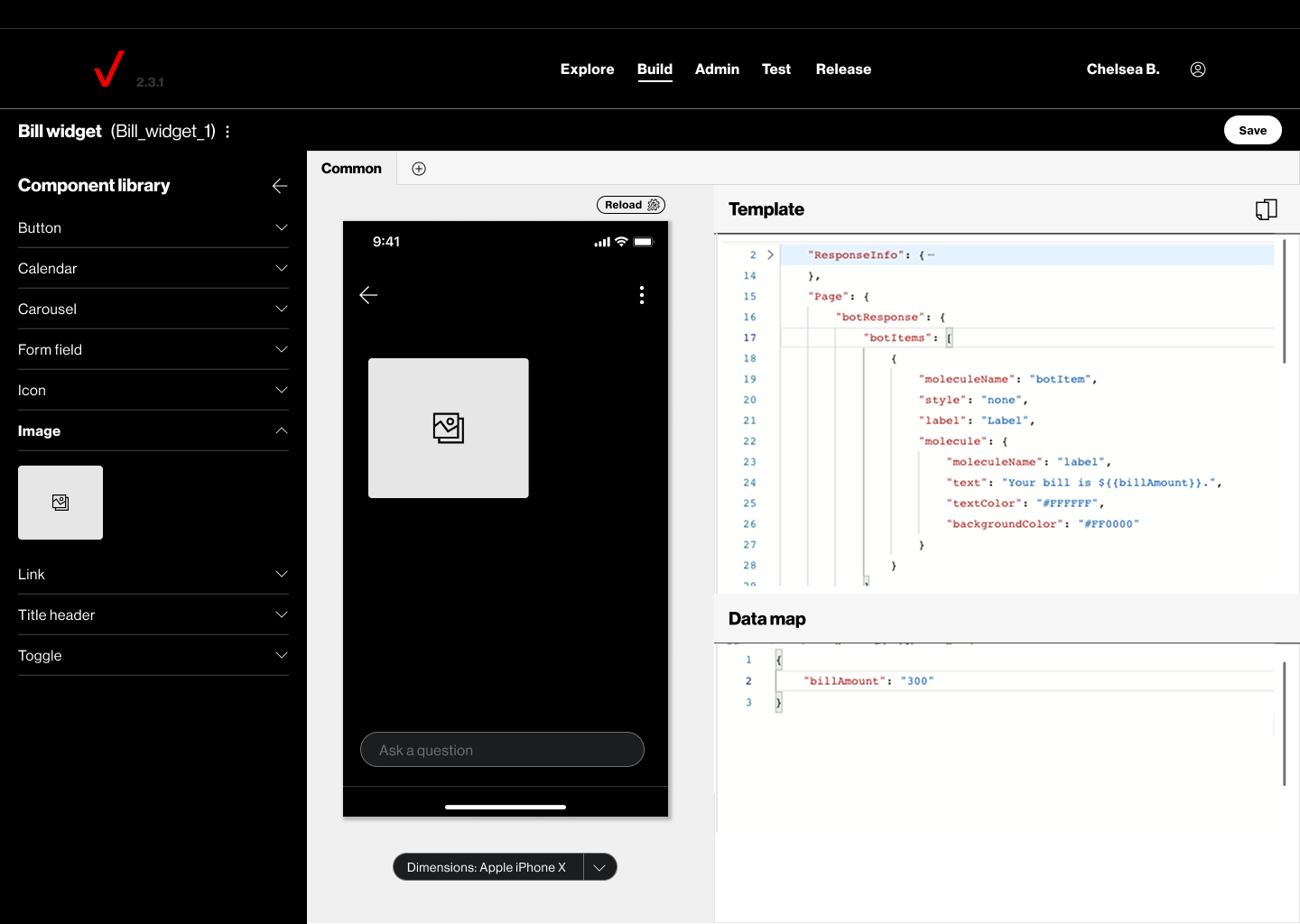
The existing process for creating chatbot widgets was slow, complex and without any visual aid. It relied on file structures and forms that didn’t allow developers a preview before publishing the changes into production. This made even simple updates time-consuming and difficult to validate.
As requirements for chatbot widgets grew, developers needed a way to save time, reduce errors, and eliminate redundant code.
MY ROLE
I was the lead product designer on the Chatbot Widget Builder, responsible for the 0 → 1 design and launch. I worked closely with Product and Engineering to:
Translate complex technical requirements into a simple experience
Design the visual builder and component library
Create the information architecture and user flows
Build wireframes and prototypes
Collaborate with developers during implementation
Conduct visual QA before launch
IMPACT
Faster, more efficient development
Reduced the time developers spent creating chatbot widgets while minimizing errors and redundant code.
Expanded access to the tool
Gave more developers the ability to independently create, manage, and publish their own chatbot widgets without relying on a centralized team.
Reduced costs
Eliminated the need for the external tool by migrating the workflow to an internal Verizon solution.
Improved brand consistency
Reusable components and templates helped teams create consistent experiences while reducing duplicate code and technical debt.
More efficient QA and testing
Allowed developers and QA teams to test chatbot widgets and publish changes from the same environment, using a live chatbot experience rather than testing directly in production.
Better visibility into errors
Added error logging so developers could more quickly identify and troubleshoot issues with their widgets.
OBJECTIVES
What needed to be solved

BUILD QUICKLY
Give developers a faster, more flexible way to create and manage existing widgets.
VISUAL PLAYGROUND
Replace file structures and forms with a visual interface and preview.
REDUCE TECH DEBT
Create a library of widget components that could be recycled and reused.
SUPPORT SCALE
Create a flexible foundation for multiple templates, channels and future features.
THE SOLUTION
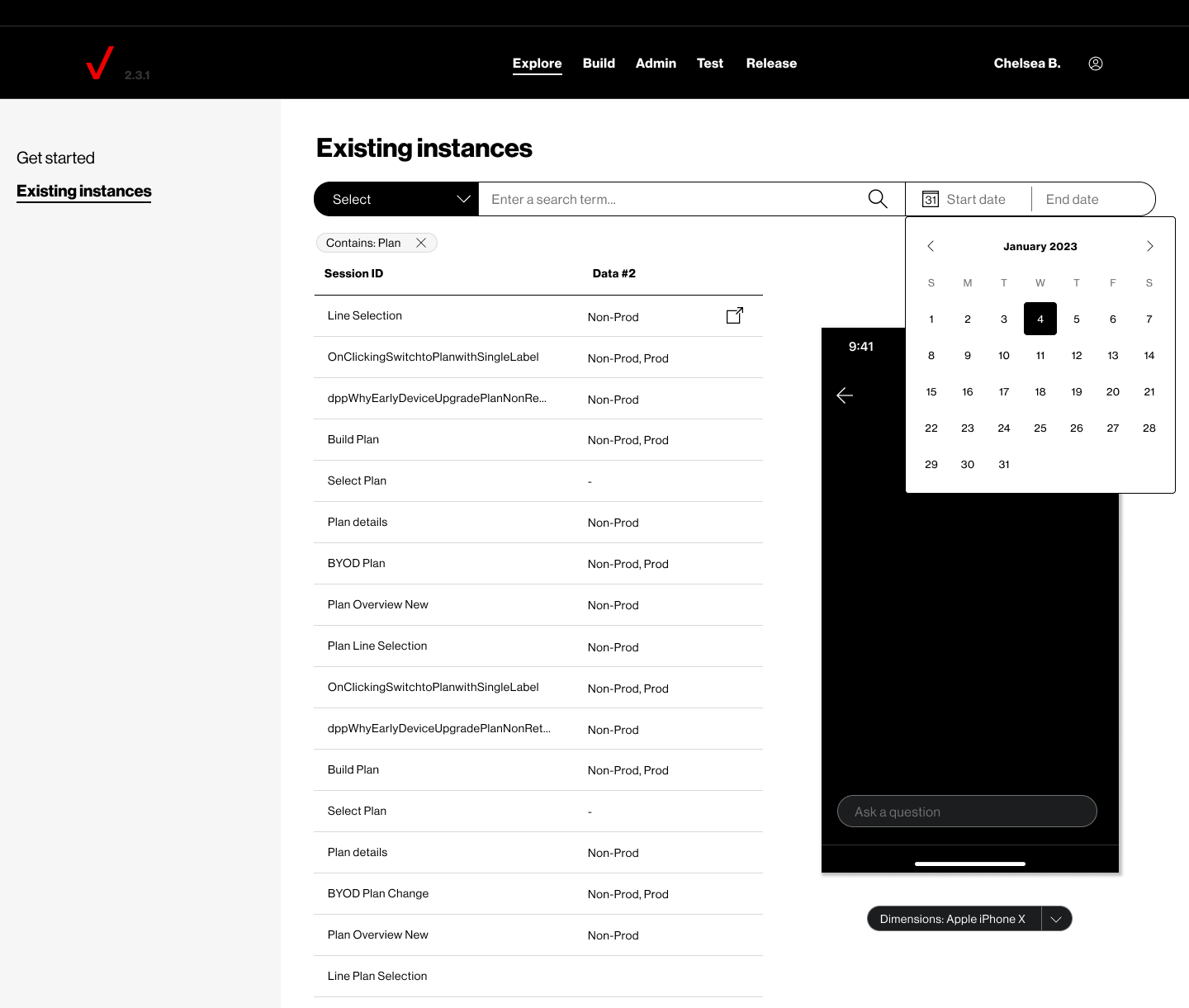
A Visual builder that just made sense.
I designed a drag-and-drop widget builder with a library of pre-built templates and reusable components. The new experience gave developers a real-time preview, simplified the creation process, and made it easier to build, test, publish, and manage widgets - all in one place.
I started by meeting with developers to understand their existing workflow and gather requirements. Since there wasn't an existing tool that met all of the product's needs, I looked at patterns from design and development tools I already worked with and explored how they could come together in a new experience.
Working iteratively with Product and Engineering, we created an MVP focused on the most important requirements first. Developers could select pre-built components, drag and drop them into their workspace, and customize them through a side panel when needed. This approach also helped reduce redundant code and technical debt in the chatbot.
From there, we expanded the experience to include testing, publishing, and version history. Developers and QA could test changes in a dedicated environment before publishing them live, while version history gave them the ability to revert to a previous working version.